 日本語
日本語
| 基本データとスペック | |
|---|---|
| 機種: | MS-G5 |
| 発売日: | 1984月 |
| CPU: | Intel 8086-2 @8MHz |
| RAM: | 512KB, 704KB with expansion board |
| 既定ストレージ: | 2HD floppy disk |
| ブート環境: | Japanese MS-DOS 2.1 |
The MS-G5 might well be the rarest system I own. It's remarkable for a number of things. First, it's a rebranded Toshiba Pasopia 1600, itself not a tremendously successful system, although it did have a foot in the business market. Also, it was among the first machines on the Japanese market to have an architecture similar to IBM PC and compatibles. Indeed, it can load and process MS-DOS executables, but due to not having the same memory mapping for CGA or EGA, game titles are basically out. I won this on Yahoo Auctions for a surprisingly reasonable price, especially considering it was sold as tested and working. It came with everything needed for immediate use, including the computer, monitor, keyboard, mouse, and a set of three floppy disks (Japanese MS-DOS, T-BASIC 16, and a Japanese Word Processor).  The monitor is a dead ringer for the Pasopia7 monitor, but there is a major difference in functionality. While the Pasopia7 and Pasopia 16 operated at 15kHz only, Toshiba upped the display capabilities of the 1600, necessitating 24kHz output. Aside from that, the inner bezel appears to be a significantly lighter shade of brown, but I am not sure if that is simply a design choice between the Pasopia7 and Pasopia 1600, or a decision to distinguish it a bit for Miroku's rebranding.    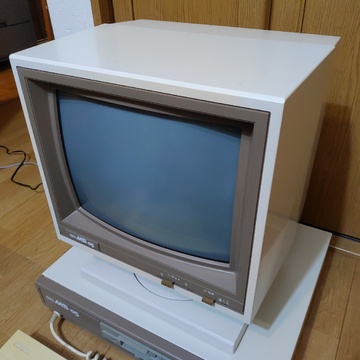 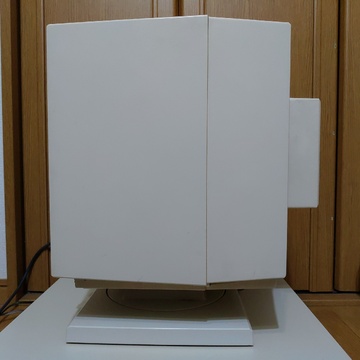  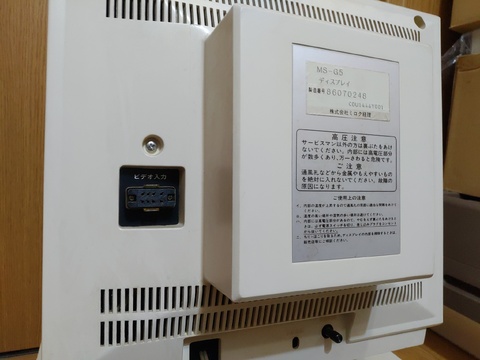  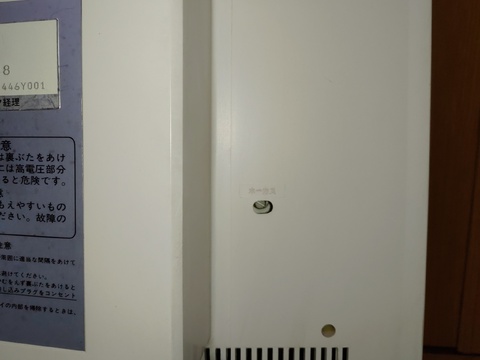   The monitor is connected to the main system with an EIAJ-8 male to DB-9 male cable, identical in appearance to the FM-77 digital RGB cable (but I am unsure if it's the same pinout). 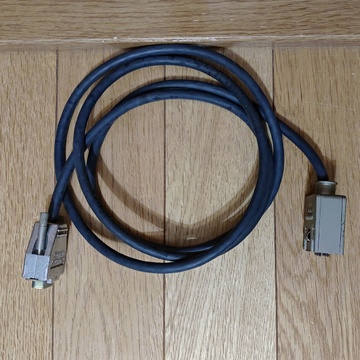 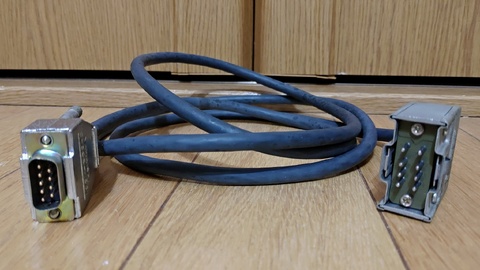 The aesthetic of the MS-G5 is practical and plain. Under the hood, it is built for efficiency. It has a stock 8086-2 CPU running at 8MHz, as opposed to the original 8086's clock speed of 5MHz. I had never heard of the 8086-2 before, and while looking this up, I also learned about the 8086-1 at 10MHz, and 8086-4 at 4MHz. Other specs include 512KB of system RAM, 384KB of VRAM, two 5.25" 2HD floppy drives, a parallel printer port, and an RS-232 serial port.   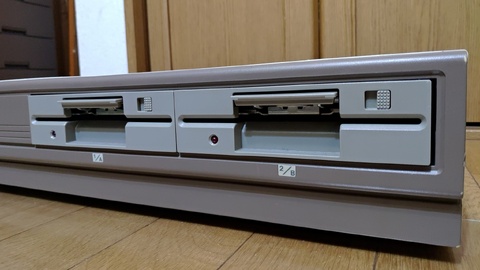   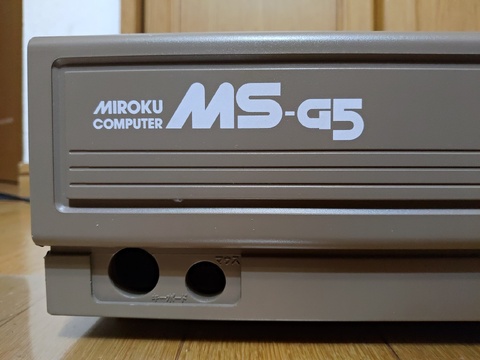    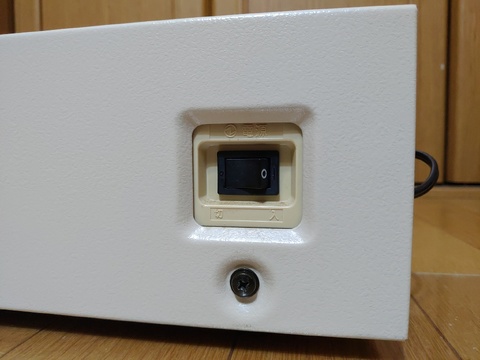    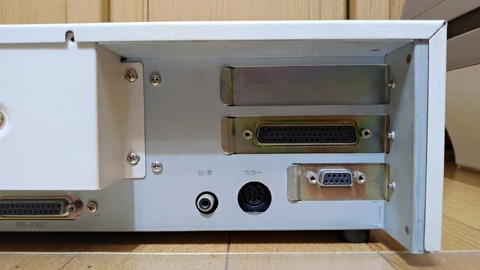   But in addition to the above specs, this system came with a couple of upgrades. I opened it up a bit to see what was inside. First, there is a memory expansion card to bring the total system RAM to 704KB (this board is installed vertically under the metal bracket running from the front to the rear of the system, close to the left-hand side). It also has an add-on monochrome display card and a separate color display card, which increases the color output from 8 to 16 colors. 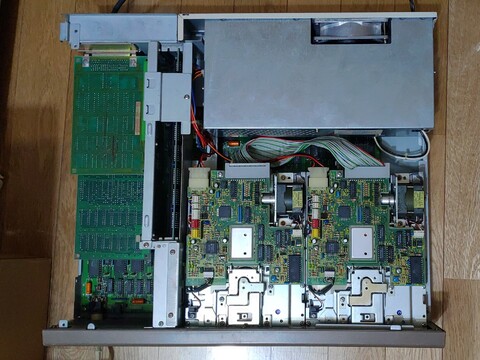    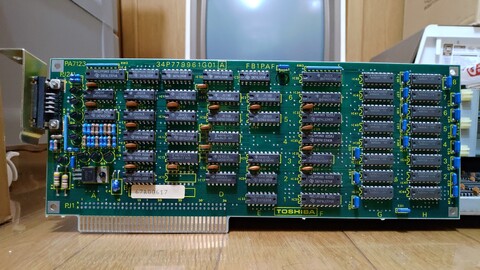 The keyboard is fairly scratched and came complete with 40+ years of yellowing, but it is a joy to type on. It has a power LED to indicate the system is on, and an on-key LED for caps lock, kanji, kana, and even alt. The LED on alt only lights up while it is actively pressed. This is completely unnecessary and totally awesome. And the red break key offers a nice accent. The back of the keyboard is somewhat unfortunate as there were three large adhesive splotches, possibly to keep the keyboard firmly in place.   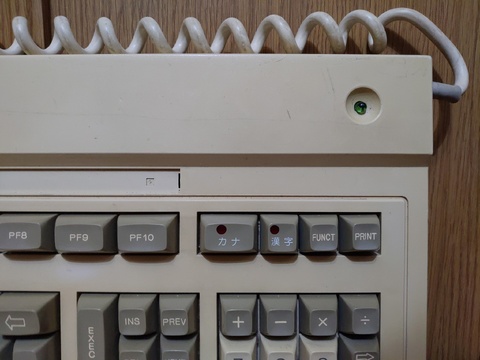 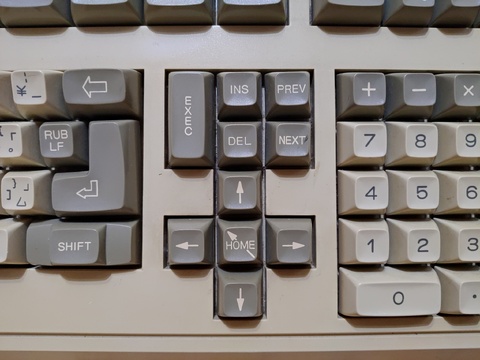     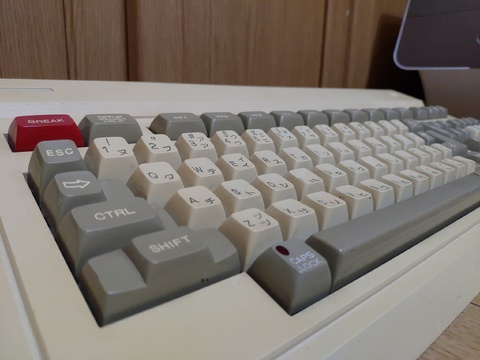    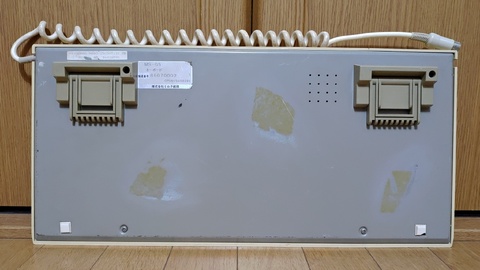  The mouse has even more discoloration than the keyboard. It somewhat resembles the design of the original Microsoft mouse, but the buttons are at an even sharper angle. It's also unique in that it has three mini rollers to assist in movement instead of smooth pads. Both the main roller and mini rollers are metal. The connector is an 8-pin mini DIN that happens to match and fit easily into the MZ-2500 keyboard port (I have not tried operating the MZ-2500 in this way).   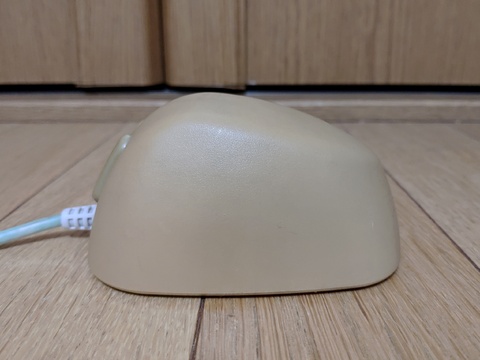  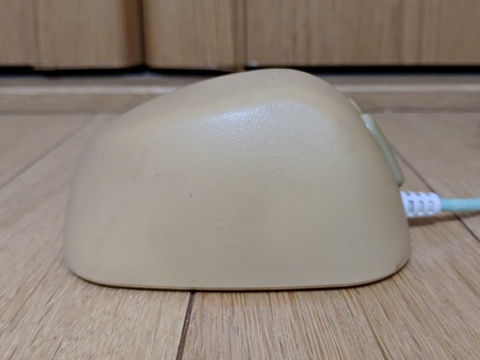   And here is what I have to attempt to use this system with. The disks are in alright condition, but not perfect.  So does it work? Yes, fortunately, otherwise I would have a giant nuisance on the floor, blocking access to my main desk, instead of this beautiful machine on the floor, blocking access to my main desk. It powered up and demanded a system disk. I put in the Japanese MS-DOS disk and it took me all the way through the CONFIG.SYS and AUTOEXEC.BAT files, dropping me off gracefully at the VSHELL screen. 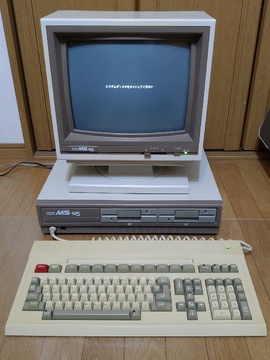  The first item of business was to make backup copies of the backup copies. This did not go smoothly because I was not paying close attention to what I had. I had briefly read that this was a clone of the Pasopia 1600, but I also had original copies of the Pasopia 16 floppies that I picked up in a separate purchase, which say 2DD on the labels.  So I believed that I, in fact, needed 2D or 2DD floppies to make backups of the Pasopia 1600 disks, but the system generated many errors during the disk copy procedure. I finally realized I was working with 2HD floppy drives and, although it still did not go 100% perfectly the first time, I did have much more success by using 2HD floppy disks. Eventually, I got an error-free copy of all six disks (3 each, Pasopia 16 using 2DD floppies, and Pasopia 1600 onto 2HD floppies). The next step was to figure out why I could only access one floppy drive. Everything looked to be set correctly internally, including jumper settings and cable attachment. After troubleshooting a bit longer, I realized that I could, in fact, use *either* drive, just not both. If I booted from drive 1, I could use drive 1 as the A drive. If I booted from drive 2, I could use drive 2 as the A drive. I thought maybe I needed to set a LASTDRIVE directive in the CONFIG.SYS file, and I was definitely close. While looking at the (very short) CONFIG.SYS file, I found the line FDD5=1 existed. I changed it to FDD5=2 and after a reboot, I could access both disks, designated as A: and B:. 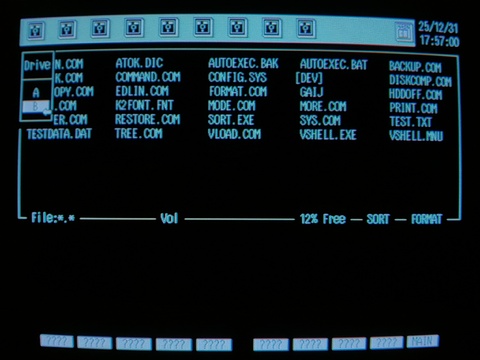  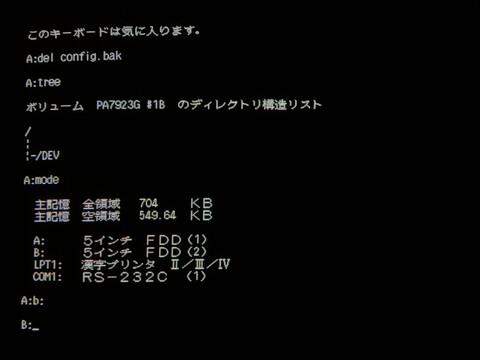  Just a note about the two different colors on the screens above. The left-hand images are taken with the genuine monitor. The right-hand images are taken on my PC-TV455, my go-to monitor for maximum (but not complete!) compatibility. Interestingly, it did not work on my PC-TV352, which I tried first because it was more convenient than the PC-TV455. The PC-TV352 does support 24kHz, and does support digital RGB, but either it doesn't support 24kHz over digital RGB, or the sync method was different (it did look like a sync problem, but I think this could still be either reason). In any event, I think it is fair to say that not many monitors will work with this system. So now it was time to actually play with the software. First was Japanese MS-DOS itself. I did such exciting things like using EDLIN to type a text file, and both TYPE and MORE to display it. Thanks to ATOK3 for MS-DOS, kanji can be used directly in the console. I also set the date and time, and to my surprise, I learned that they were already using four-digit years in the Pasopia 1600 version of MS-DOS. Another note, to pass a parameter to an MS-DOS command on the Pasopia 1600 (and the Miroku rebrand), you use a hyphen instead of a forward slash (i.e. dir -w instead of dir /w).  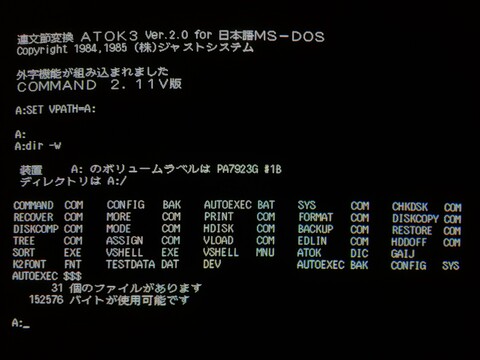   Here's a quick look at VSHELL, a mouse-driven GUI that apparently got its start on the NEC PC-100. It appears to be mostly text mode, but there is a bit of a GUI at the very top, and it offers features like resizing the windows (vertically only, and the windows are non-overlapping). You can also click on almost any piece of text and it will respond, for example, if you select a file or directory, it can be passed as an argument for the shortcut keys, or it shows alternate information such as displaying actual bytes free instead of the percentage of free space, for the duration of your click. Overall, I don't think this program saves any time, but it's an interesting relic. You can program user-defined functions somehow, but I am not sure how, I only managed to accidentally delete a couple of definitions (but the original configuration still exists on the disks that came with the system). 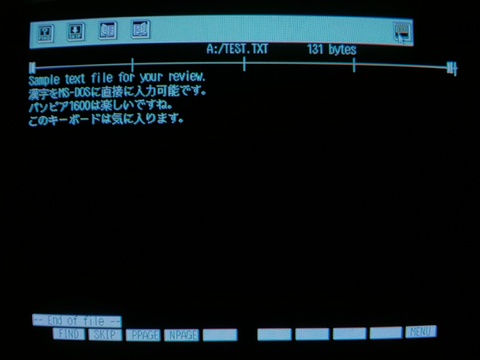    Next up was the Japanese word processor, JS-Word. This is also a mouse-driven GUI program with quite a bit more mouse interaction in the form of menus and text selection. You can perform some basic text formatting such as left/right justification or centering, underlining, or bolding text (the bolded text is not WYSIWYG, it uses an overline to indicate that text is bold). You can also use half-width text and quarter-size text (I think this is limited to katakana and alphanumeric characters).     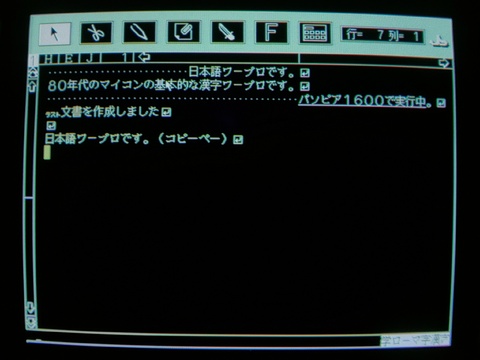 And the third disk, T-BASIC 16. It comes with some nice sample programs, which I presume were meant to be run in a loop, but certain sections (perhaps mostly related to the CIRCLE command) cause errors, so I had to load and run the individual pieces separately (the first little program is my standard test). 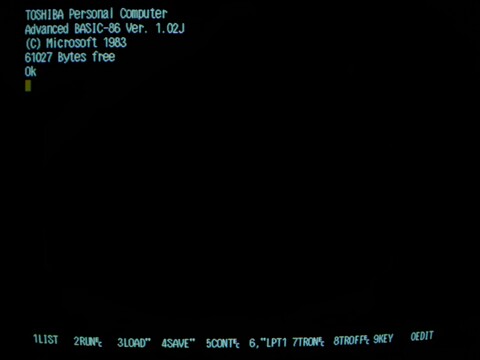  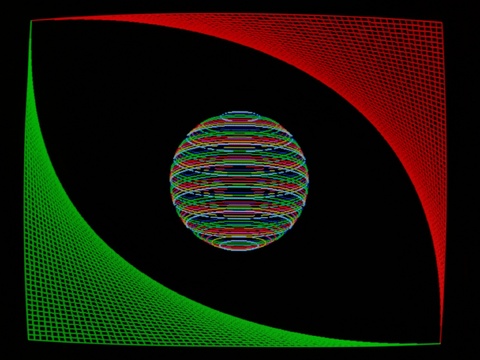    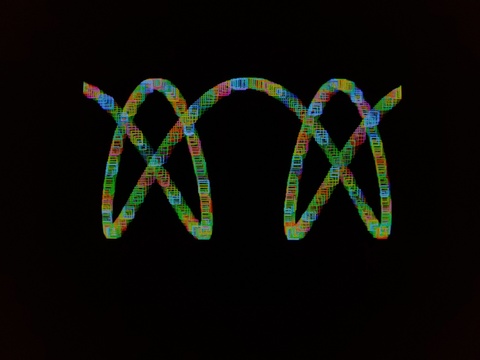 By the way, while in T-BASIC 16, I noticed just how beautifully slow the monitor phosphors are! 😍 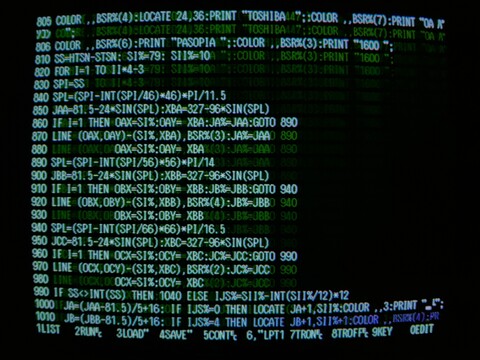 Also included on the T-BASIC 16 is the QuickTest utility, which was on a separate disk on the Pasopia 16 floppy set. This is a different version of QuickTest. Here is the main menu, a base RAM diagnostics utility, a date set utility, and the standard 8-color digital RGB display utility.   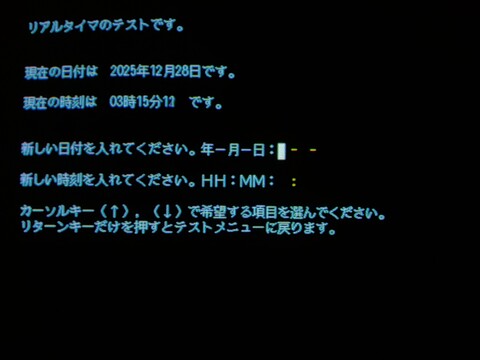  The QuickTest utility also knows about the expansion cards, so you can run diagnostics on any boards you may have. Option 10 on the main menu takes you to this submenu. As I have the color graphics expansion board, I ran that utility (option 3). This is the only way I have proof of this system's ability to display in 16 colors. For some unknown reason, it displays in 16 colors and then *immediately* changes the display to show alternate variations of this test pattern. The change seems to happen in one frame, so the 16-color picture is imperfect, but that's the best I could capture. The annoying thing is, once it changes the display, you can move back and forth between 16 different combinations of bars and background colors at your own pace, but you can't get back to the 16-color screen. *grumble grumble* I also tested the extended memory while I was there. 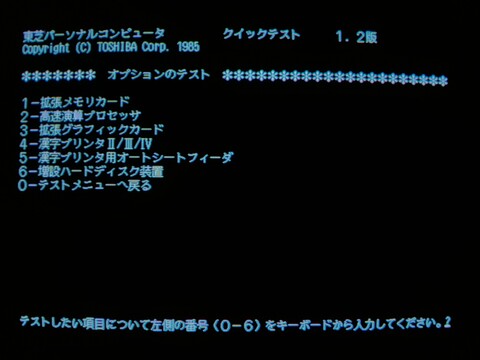 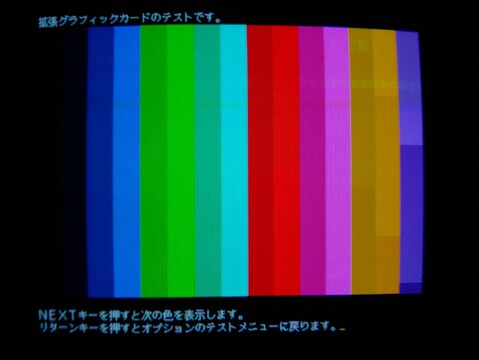  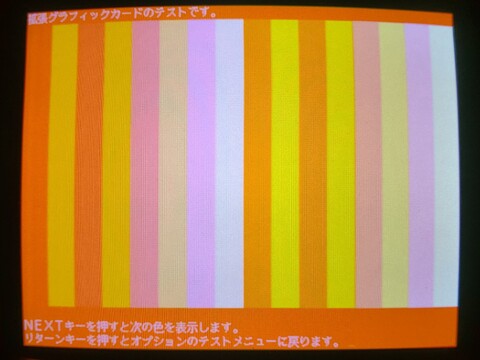 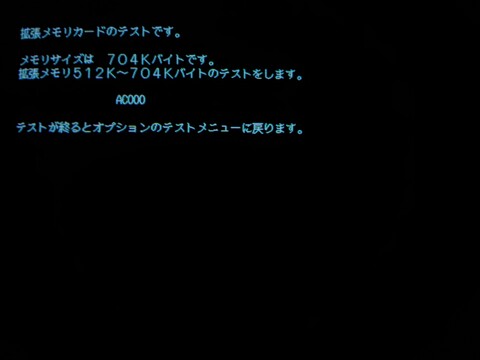 I also tried running the Pasopia 16 disks on the system. This version of MS-DOS boots to screen settings that set up rows too small for the font being used, which makes the text annoying (if English) or potentially quite difficult (if Japanese) to read. I happened into a solution for this problem, with its own drawbacks, but at least the text is entirely readable. By executing "MODE SCRN:", it resets the display in a different mode with a paltry 12 rows visible. It's has a peculiar appearance because the ATOK-generated kanji requires the full row vs. only half a row for English and system-generated katakana. 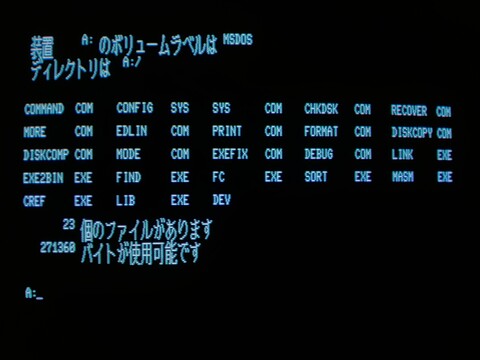 The T-BASIC 16 for the Pasopia 16 has a different set of demos. The QuickTest utility for the Pasopia 16 does not launch from MS-DOS, so it is stuck with the large fonts.   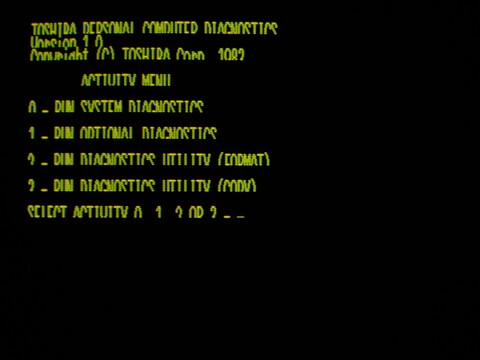 |
| 八 ビ ッ ト hachibitto |